


All Document Reader & Editor
3.27.00 Reviews
App Specs
- Version
- 1.0.7
- Updated On
- License
- Free
- Downloads
- 10,000+
- Developer
- Bangladeshi Software Ltd.
- Categories
- Tools
- Platform
- Android
Screenshots
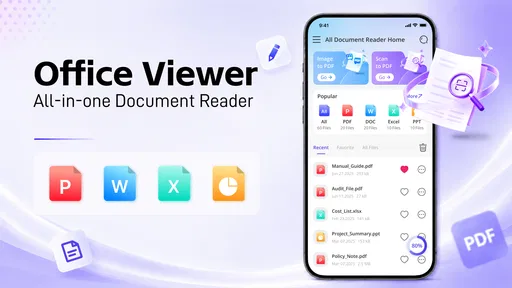
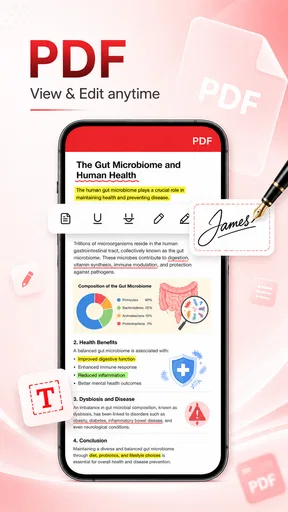
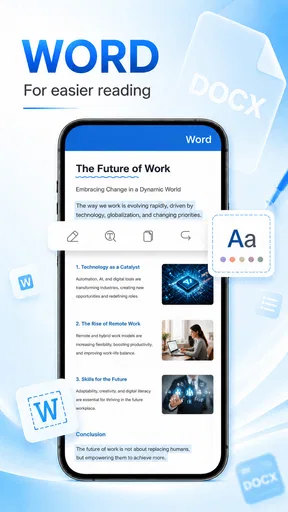
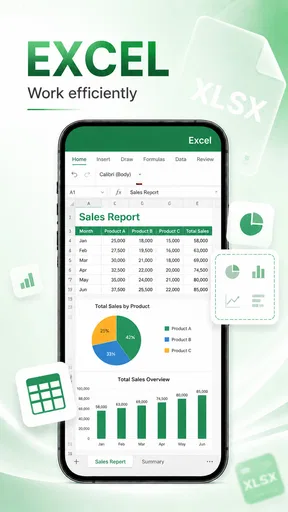
 Analysis by AppCompare
I approached All Document Reader & Editor as a practical tools app rather than a full replacement for a desktop office suite. Its purpose is clear: give me one place to open documents and make basic edits instead of switching between several separate viewers. That sounds simple, but it matters when a phone is being used for work, study, forms, or quick file checks during a busy day.
The app comes from Bangladeshi Software Ltd. and is free to use. It is aimed at Everyone, so its general audience is broad, from students checking class material to office workers reviewing a file away from a computer. The current release is version 1.0.6, and it runs on Android 8.0 or later. Those details place it in the useful middle ground of an accessible utility: it is not restricted to recent phones, but it is also still a relatively young product that deserves realistic expectations.
How the current version feels in everyday use
My first impression is that the strongest idea here is consolidation. A dedicated document reader is convenient when I receive a file in a messaging app, download an attachment, or need to inspect something stored locally. Instead of deciding which specialist application should handle each file, I can start with this one and see whether it is suitable for the job.
That convenience is most valuable for short tasks. I would use it to read a report, review a form before sending it, check whether a document opens correctly, or make a small correction while travelling. I would not begin a long writing project on a phone unless I had no better option. The screen, touch keyboard, and file handling limits of mobile devices still make a laptop more comfortable for serious editing.
The store presents it as an all-in-one document reader and office editor, but I found that phrase more useful as a description of its direction than as a promise that it replaces every office tool. A combined app can reduce clutter and make occasional work easier, yet specialist applications usually provide deeper controls for advanced formatting, collaboration, spreadsheets, presentations, and document management.
That distinction is important for deciding whether to install it. If I mainly need access and light editing, the unified approach is appealing. If my documents contain complicated layouts or require precise professional formatting, I would treat this as a convenient first stop rather than my only office application.
Where it fits in a normal day
A realistic example would be receiving a document from a colleague while away from a desk. I can open it to confirm the contents, look for a particular section, and make a small correction if the editor handles that file as expected. I can then continue the task later on a computer when the work requires more room. That workflow is more practical than trying to turn a phone into a complete workstation.
Worth Reading Before You Choose

Flipboard Shows What News Apps Must Do Beyond the Feed

Switching to Android Auto Means Rethinking Your Driving Routine

Google Calendar Makes a Crowded Week Easier to Manage

Ludo King Makes the Most of the Minutes Between Plans

Baby Panda World Brings Quick Play to Modern Phones, but Its Game Library Feels Busy

ESPN’s Live Game View Makes Following Close Games Easier
Students may find a similar benefit when checking reading material or making a quick note before class. The app also makes sense for people who do not want multiple viewers occupying storage and attention. For occasional document work, reducing the number of apps involved can be more valuable than having every advanced feature.
One useful habit is to test an important file before travelling or before a deadline. A document that opens comfortably for reading may not behave equally well when edited. I would keep the original copy untouched, work on a duplicate when possible, and inspect the result afterward. That is sensible with any mobile editor, but it is especially important with a newer all-in-one tool.
What the version and release stage tell me
The app was released on June 3, 2026, and version 1.0.6 is the current version. I read that as evidence of an early product stage rather than a criticism. The core concept is already defined, but the product is still young enough that refinement will likely matter as much as adding headline features.
For existing users, a version such as 1.0.6 suggests that the developer is actively moving beyond the first release. I would pay attention to improvements in opening reliability, editing consistency, navigation, and preservation of formatting. Those details often decide whether a document utility becomes part of a daily routine or remains an emergency install.
It is also worth separating what is visible now from what one might hope to see later. The current version supports the app’s identity as a reader and editor, but I would not install it based on imagined future functions. A good review of a young tool should judge the present experience first and treat future development as something to watch, not something already delivered.
Reading is the safer starting point
In my experience with this type of app, reading and editing should not be treated as equal tasks. Reading is forgiving: I mainly need the text to appear clearly, pages to remain in the right order, and navigation to be predictable. Editing is more demanding because a small change can affect spacing, line breaks, tables, or the appearance of the final file.
That is why I would begin with non-critical documents. Open a few files from different sources, move through them, and check whether the layout remains understandable. Then try a harmless change on a copy. This quick test tells me far more than the label “office editor” because it reflects the way I actually intend to use the app.
The combined design is still useful even when I choose another editor for the final stage. I can use this app as a lightweight inspection tool, especially when I only need to confirm that a file is present and readable. That role may sound modest, but it is a genuine advantage for people who handle documents irregularly.
How it compares with familiar alternatives
The usual alternatives fall into two groups. The first is a specialist document viewer or editor, which may offer stronger handling for a particular format. The second is a broad office suite that includes documents alongside spreadsheets, presentations, cloud features, and collaboration tools. Those established options can be better when I need advanced formatting, synchronized work, or a mature ecosystem.
All Document Reader & Editor has a different appeal: simplicity through combination. I do not need to install a separate app for every basic document task, and the free price removes an initial barrier for casual users. The trade-off is that an all-in-one tool may feel less focused than a specialist application when the task becomes demanding.
I would choose a specialist editor for a long report, a document with delicate page design, or work that must look identical across devices. I would choose a larger office suite when several people need to collaborate or when I regularly move between documents, spreadsheets, and presentations. I would choose this app when quick access and light mobile work matter more than a large professional feature set.
The average rating is 3.2 from around thirty ratings, with seven written reviews, while the app has passed ten thousand installs. I see that as a small but useful signal: there is enough public activity to show that people are trying it, but not enough to treat the rating as a final verdict for every phone and workflow. My own decision would depend more on file compatibility and editing needs than on the score alone.
Small workflow choices that make a difference
One non-obvious benefit of a unified reader and editor is that it can change how I handle incoming files. Rather than opening an attachment immediately in whichever app the phone suggests, I can use one familiar starting point to inspect it first. That reduces accidental edits and helps me decide whether the file needs simple reading, a quick correction, or a more capable desktop tool.
A second useful approach is to separate review from production. I would use the app for checking names, sections, and obvious mistakes, then move the document to a stronger editor for final formatting if the result matters. This avoids asking a mobile utility to do two different jobs at once and makes the limits easier to manage.
A third tip is to keep a clean original and a clearly named working copy. Mobile editing is often interrupted by calls, notifications, or a change of location. A simple copy-based workflow protects the source document and makes it easier to compare the result later. This is particularly helpful when a file came from someone else and must be returned without unintended changes.
I would also test the app with the documents I actually receive, not random sample files. A person who mostly reads straightforward text documents may have a smooth experience, while someone working with dense tables or carefully designed forms may quickly discover that a specialist alternative is more appropriate. The right test is therefore personal and practical.
Who should use it, and who should skip it
I think it is a good candidate for students, casual users, small-office workers, and anyone who occasionally needs to read or adjust documents on an Android phone. It is especially attractive if I want a free tool with a broad purpose and do not want to maintain a collection of separate readers.
It is less convincing for professional writers, editors, accountants, designers, or teams with strict document workflows. Those users often need precise layout control, dependable conversion, tracked revisions, shared access, or a consistent desktop-to-mobile experience. In those situations, a mature specialist or office platform is usually the safer choice.
I would also skip it as my primary tool if most of my work involves long sessions of typing. A phone editor can help in a pinch, but comfort and accuracy eventually become more important than having everything in one app. This product makes more sense as a mobile companion than as the center of a demanding office setup.
What I would watch as the app develops
For a product at version 1.0.6, I would watch how future updates improve the everyday details rather than simply adding more labels to the feature list. Reliable file opening, stable edits, readable navigation, and faithful output would have the greatest effect on my confidence.
I would also look for clearer separation between reading and editing workflows. A good interface should make it obvious when I am only viewing a file and when I am changing it. That distinction protects users from mistakes and makes the app feel more trustworthy, especially on a small screen.
Another area worth watching is how well the app serves both older and newer Android devices. Support for Android 8.0 or later makes it available to a broad range of phones, but a wide compatibility range can create different expectations around speed and interface behavior. Consistent performance across that range would strengthen its appeal.
Finally, I would judge progress by whether the app becomes dependable for repeat tasks. A reader that works once is convenient; a reader and editor that I can trust every week becomes genuinely useful. At this stage, I would remain open-minded, but I would keep important originals backed up and verify finished files before sharing them.
My recommendation after using it
All Document Reader & Editor is a sensible free utility for people who want one accessible place to start with documents on Android. Its strongest quality is not that it makes a phone equal to a computer. It is that it reduces friction for quick reading, checking, and light editing when a full office setup is unavailable.
I recommend it to readers who value convenience and have modest document needs. I would install it as a practical companion, test it with my own files, and keep a specialist editor available for complex work. That balanced approach makes the app useful without expecting more than a young all-in-one tool can reasonably deliver.
Pros
- Opens DOCX
- XLSX
- PPTX and other common formats in one app.
- Built-in search makes it easy to find words or phrases in lengthy files.
- Supports viewing documents stored locally or downloaded from the web.
- Useful file manager helps organize
- rename and share documents quickly.
- Document editing tools are convenient for making quick changes on mobile.
Cons
- Advanced editing features may require a premium subscription.
- Complex layouts can appear slightly different from the original file.
- Large documents may take longer to load on older phones.
- The interface can feel crowded because many tools are grouped together.
- Some features may depend on internet access or cloud-service integration.
FAQs for All Document Reader & Editor
What is All Document Reader & Editor, and which file formats does it support?
All Document Reader & Editor is a mobile productivity app designed to open, view, organize, and sometimes edit common office and document files from one place. Depending on the version and device, it may support formats such as PDF, DOC, DOCX, XLS, XLSX, PPT, PPTX, TXT, and similar files. Before downloading, check the app’s current store description because supported formats and editing capabilities can vary between Android and iOS releases.
Can I edit documents, or is the app mainly a document viewer?
The app is primarily useful for reading and managing documents, but its editing tools may differ according to the file type and subscription level. Basic actions can include adding text, making annotations, signing, highlighting, or modifying simple content, while advanced word-processing or spreadsheet features may be limited. If you need professional editing, verify the available tools inside the app before relying on it for complex documents.
Does All Document Reader & Editor work offline?
Many document-reader functions can generally be used offline once files are stored on your phone, making the app convenient for travel, commuting, or situations without reliable internet access. However, features such as cloud synchronization, online file conversion, advertisements, account services, or document sharing may require a connection. It is worth opening a locally saved file in offline mode to confirm what works on your device.
Is All Document Reader & Editor free to download and use?
The application may be available as a free download, but free access can include advertisements, usage limits, locked editing tools, or optional in-app purchases. Some versions may offer a premium subscription that removes ads and unlocks additional document-management features. Review the pricing details, trial conditions, renewal policy, and cancellation instructions in the Google Play Store or Apple App Store before activating any paid option.
Is it safe to open private or sensitive documents in the app?
Before opening confidential files, review the application’s permissions, privacy policy, and data-safety information in the relevant app store. A document reader may request access to storage or selected files so it can import and display them, while online tools could process files on remote servers. Avoid uploading highly sensitive documents unless you understand how they are handled, stored, shared, and deleted.


